




SpinGranny Login & Account Setup
The SpinGranny login is what turns a visitor into a player with a real balance. Without an account, you can only browse the lobby, as real bets are not available to guests. Creating a profile takes about a minute, and the same details then work on any device. Registration is available to adults aged 18 years and older, and a Google button speeds up the start for those who prefer it.



Creating a Profile at SpinGranny
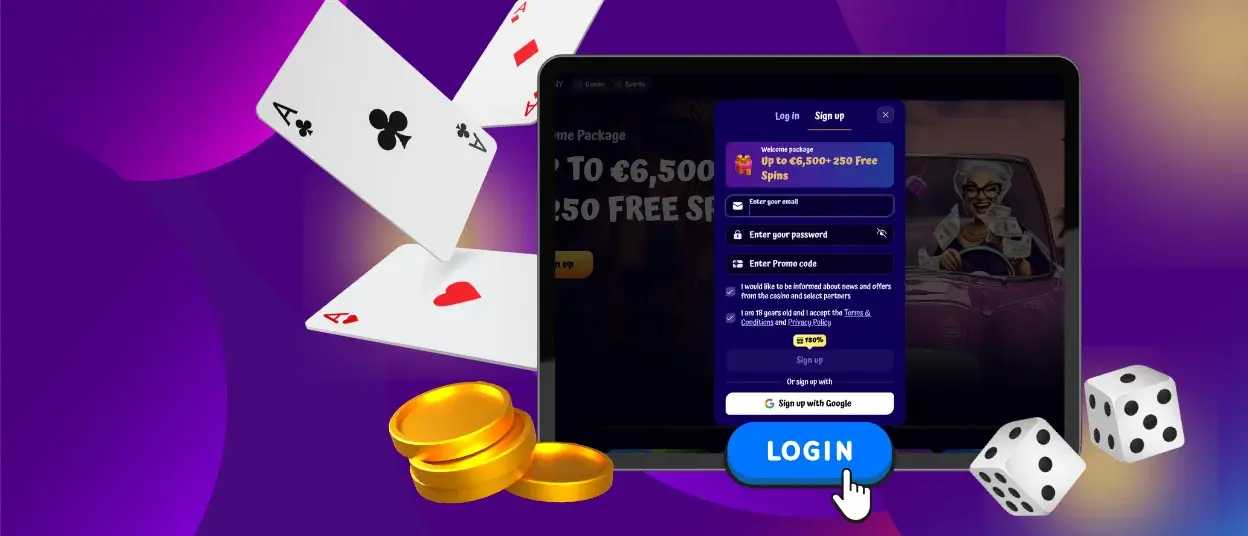
Signing up at SpinGranny takes just one short form and about a minute. Before starting, keep two simple rules in mind: one person may have only one account, and the details you enter must be real, since they are checked before the first payout.
- Tap Sign up in the corner of any SpinGranny page.
- Type your email and create a fresh password.
- Add a promo code if one is available.
- Mark the required checkboxes and finish with “Sign up.” You can always use your Google account to register in the fastest way.
The account is ready as soon as you press the button, with nothing to confirm afterward. The welcome offer is shown right in the form, so you know what awaits before the first deposit.
What a New Profile Includes
After registration, the following becomes available to you. The table below covers the main points:
| What opens | Details |
|---|---|
| Real-money mode | Every game accepts actual bets from that moment. |
| Welcome package | Up to €6,500 with 250 free spins over three deposits. |
| Daily activities | Missions, the wheel, and races start counting you in. |
| Coin collection | Points for bets and deposits begin adding up for the store. |
| Payment tools | Deposits from €20 and payouts from €50 become available. |
Nothing here has to be activated separately, as one account covers it all. The profile also saves your favorites and game history, so the next session continues from the same point.
How to Log In at SpinGranny
Returning players use the “Log in” button in the top corner of the site. The window that opens asks for the email and password from registration, and one confirmation brings you back to the account with the balance in place. Those who signed up through Google enter the same way with a single tap on the Google button. On a phone with the installed icon, the login form opens straight from the home screen.
A Look Inside the Dashboard
The account area starts with your balance and active bonuses, and each bonus shows how much time is left on it. Nearby, you can see the coins collected for the store and both level counters. Other tabs hold the transaction history and personal details, and the responsible play limits are set there as well. Changes at Spin Granny apply immediately, without confirmation from support.
SpinGranny Login Troubleshooting
Access problems happen rarely and are usually easy to fix. The table below shows the most common cases and what to do with them.
| Situation | Likely cause | Quick fix |
|---|---|---|
| The form rejects the credentials | A typo in the email or the password | Retype both fields without autofill |
| Nothing happens after clicking the button | The connection dropped mid-request | Check the network and send it once more |
| Sign-in pauses for too long | Too many wrong attempts in a row | Let the pause pass, then enter calmly |
| The account looks brand new | The “Sign up” tab was used instead of “Log in” | Switch to the Log in tab of the same window |
Almost every case above ends within a minute and without any help. For the rare exceptions, the chat at Spin Granny is open around the clock, and describing what the screen shows shortens the wait.
Resetting a Forgotten Password
The recovery link is under the login fields. Enter the email you registered with, and a message with a reset link will arrive in your inbox within a minute. The link opens a page where you set a new password, and the old one stops working right away. Choose a combination that has nothing in common with the previous one, so the reset really improves your protection.
Simple Habits That Protect the Account
Most of the security depends on everyday habits rather than settings.
- A password created only for SpinGranny and stored nowhere publicly;
- A proper sign-out whenever the computer is shared;
- A lock screen on the phone that carries the installed icon;
- Silence in response to anyone requesting your credentials.
We never request passwords in messages, so any such request is an attempt at fraud. If something looks suspicious, write to the support team before doing anything else.
SpinGranny Verification Before Payouts
Verification is done once, before your first withdrawal, and is not repeated afterward. During the verification process, we ask for an identity document and for proof of address as well. Photos taken with a phone camera are enough, and they are uploaded to the account section. Once the check is approved, payouts at SpinGranny Casino are processed without additional confirmations. Multilingual support works here too, so questions about documents are answered in a language convenient for you.
FAQ
Can I open the account on my phone and continue on my computer?
Yes, one profile at SpinGranny Casino serves every device you own. The same email and password work on a phone, a tablet, and a desktop, and the balance stays identical everywhere. Sessions run independently, so a game left open on one screen does not block the login on another.
How long does a session stay active without any gaming?
On a personal device, the session is okay with long pauses, and returning needs no password at all. A shared computer is different, since signing out manually is the safer habit. After a manual exit, the next SpinGranny login takes two fields and a second of your time.
What should I do if the login window does not open at all?
An outdated cache is the usual reason, and refreshing the page solves it in most cases. A different browser or the installed icon gives a quick second route to the form. When neither helps, the chat managers at Spin Granny check the account status directly and report back within minutes.


